Shadow AI Agent Detection in Enterprise Networks
Unauthorized AI agents inherit old permissions and act without oversight.
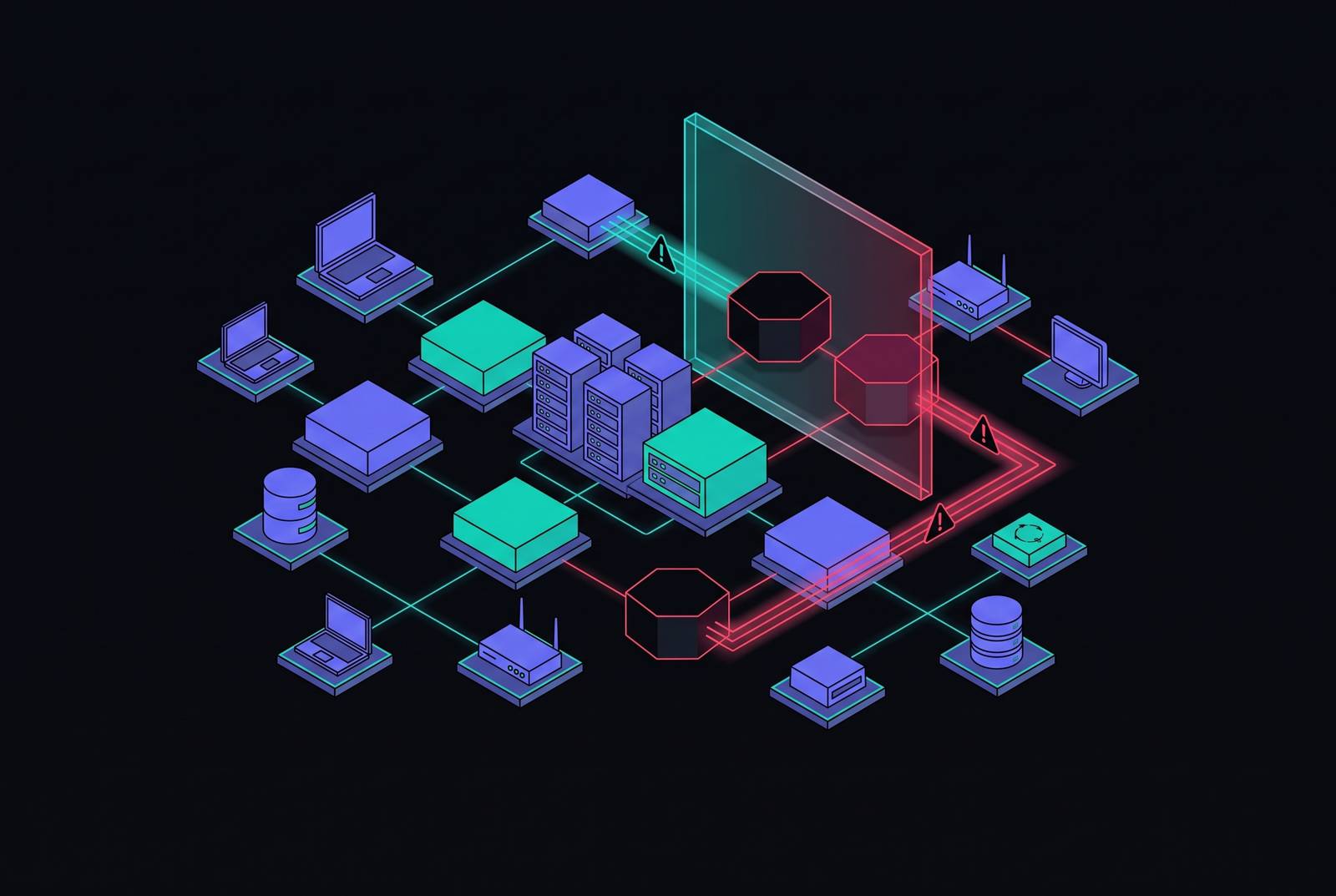
Shadow AI agent detection in enterprise networks asks a question most security teams haven't finished answering: not whether unauthorized AI tools are in use, but whether unauthorized AI agents are acting on the business's behalf without anyone signing off. The distinction matters because an agent doesn't wait around to be used. It inherits whatever authority its host identity already has, and it starts acting on its own schedule. Finding it requires five separate layers of visibility, not one, because no single layer sees the whole shape of what an agent does.
Shadow AI agents versus shadow IT
Shadow IT has a familiar shape: someone signs up for a tool IT didn't approve, and the tool sits there until a person opens it and does something. Shadow AI agents don't sit. An agent initiates connections, writes and executes code, reads and writes data, and in some cases holds onto credentials long after the task that required them is finished. The attack surface moves from a question of exposure (data sitting somewhere it shouldn't) to a question of action (something doing things on its own).
What makes an agent dangerous usually has nothing to do with the model behind it. An agent runs as some identity, a CI/CD runner, a Kubernetes service account, a shared API key, a managed identity, and it inherits every permission that identity already carries. A workflow with read access to a document store and send access to a messaging platform can summarize confidential material and push it to an external channel without a human ever telling it to do that specific thing. The model might have been deployed last week. The authority it's exercising might be five years old.
Agents also don't clock out. Scheduled jobs, event triggers, queue consumers, and autonomous loops keep running after the developer who built them has moved to another project or left the company. A prototype left running on a shared worker can quietly turn into a production dependency without ever going through a production review. The Cloud Security Alliance's AI Safety Initiative puts the median detection time for unauthorized AI tools at 403 days. AvePoint's State of AI 2026 Report found that the share of organizations unable to say whether employees are using unsanctioned AI tools nearly tripled between 2025 and 2026, and for agents specifically, more than one in five organizations can't say whether unsanctioned agents exist in their environment. The agent inherits old authority and nobody's watching the clock.
Single-layer detection and the exposure it leaves invisible
That inherited authority is why single-layer detection fails: the identity, the data flow, and the agent's behavior each live in systems owned by different teams, and no one of those systems holds the whole picture. A network log can confirm a connection reached api.openai.com. It can't say who made the request, what data went with it, which application sent it, or what other services (MCP servers among them) the request touched along the way. DNS logs close none of those gaps on their own.
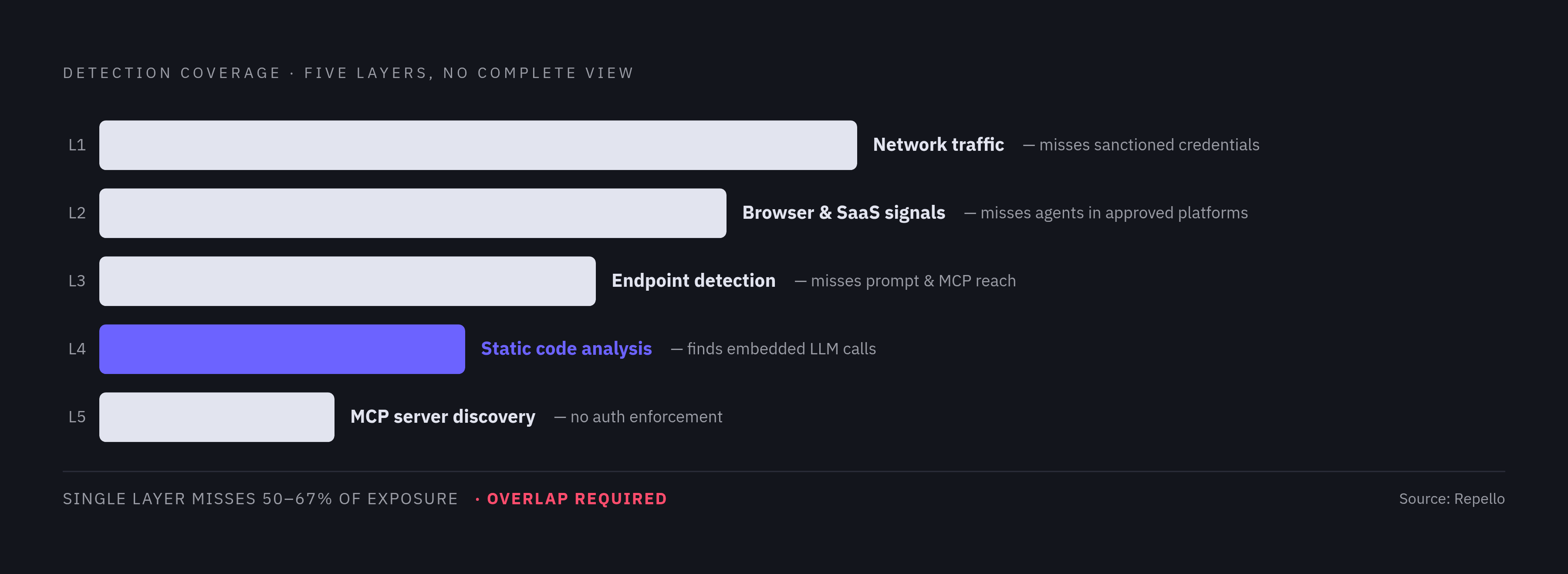
The agents that cause the most damage rarely announce themselves. Most aren't labeled "agent" in any config file. They live inside scripts, notebooks, pipeline steps, browser automations, workflow platforms, and ordinary backend services, and a discovery process that only searches for known agent framework names will walk right past a custom implementation built in-house. Repello's 2026 enterprise playbook puts single-layer detection at missing between half and two-thirds of actual exposure, and most failed audits trace back to a team that ran exactly one layer and called it done.
The amount of shadow AI an organization finds tracks the maturity of its discovery process far more closely than the strictness of its policy. A strict policy backed by one detection layer produces confidence without coverage, which is worse than no policy at all because it looks like control. A finding becomes defensible when multiple signals, tied to the same workload, the same identity, the same time window, and the same owner, agree with each other. That takes five layers working together: network, browser and SaaS, endpoint, code, and MCP servers. Each one closes a gap the others can't reach.
Layer 1: Network traffic monitoring
Network monitoring is the obvious place to start, and it earns that position. It catches new outbound connections to model-provider, inference, embedding, vector, or agent-service endpoints coming from systems that were never registered as AI workloads. It catches repeated API calls from build workers, automation servers, jump hosts, and shared application tiers that have no business calling a model provider. It catches spikes in token consumption or tool-related calls that don't line up with any release or business event, and it catches spend tied to personal accounts, unknown projects, or API keys nobody recognizes.
Where it runs out of road is the exact traffic that matters most. A call that pulls its API key from a secret manager, routes through the normal corporate network, and reaches a model provider over standard HTTPS looks, from the network's point of view, identical to any sanctioned request. CASB tools generally don't separate this traffic from approved use, and they have no visibility into the payload, the prompt, or the data riding inside it. Picture an agent sitting in a CI/CD pipeline, calling a model provider with a corporate key: it generates nothing a network monitor would flag. Watch egress to known LLM provider domains, check API key origins against an approved registry, and flag provider traffic continuing from non-production systems outside business hours. None of that reaches the traffic using sanctioned credentials over legitimate paths. That's where the real exposure sits, and where Layer 4 eventually has to pick up the slack.
Layer 2: Browser and SaaS signal monitoring, catching unapproved use inside approved platforms
Layer 2 covers two different problems that get lumped together more often than they should. One is employees using AI tools nobody approved. The other is employees (or just as often, engineers) building autonomous agents inside platforms the company already sanctioned. Treat them as the same thing and both go unmonitored in different directions.
The first problem is the easier one to see. Maybe it's an employee pasting confidential material into a consumer chatbot, or logging into a personal AI account on a work laptop, or using an AI feature baked into a SaaS tool that never went through procurement. The Cloud Security Alliance's AI Safety Initiative found generative AI now accounts for 32% of all corporate-to-personal data transfers, more than any other channel, and existing browser DLP and CASB tooling catches a reasonable share of this. AvePoint's detection framework draws the line clearly: browser and DLP monitoring handles unauthorized tool use, while unregistered agents built inside approved platforms need platform-native agent inventories and identity-aware monitoring instead.
OAuth authorization records and SSO logs show you which AI applications users have connected to their organizational identity. Where a platform exposes one, a native agent inventory can list what's been built inside it. Spend data helps too: inference charges appearing under a personal account or an unrecognized cost center are a tell. Browser extension activity and email header analysis pick up adoption that never touches SSO.
None of that reaches an application that skips SSO entirely or an AI tool installed locally with no tie to organizational identity. That gap belongs to the next layer.
Layer 3: Endpoint and workstation agent detection, the fastest-moving and least-governed surface
A workstation agent in practice is a persistent binary sitting on a developer's machine with broad access to the file system, talking to external LLM providers and internal MCP servers, holding memory across sessions, and often able to pull in skills or plugins from community marketplaces of wildly uneven quality. Tools in the Claude Code, GitHub Copilot Agent Mode, and Cursor category now run full agentic loops locally: reading a repository's structure, planning an implementation, writing code, executing it, running tests, and committing the result, all without a human in the loop at each step.
None of that looks unusual to the security tools already installed on that machine. A developer is using an IDE. A container is just a container. Outbound traffic to an LLM endpoint looks like the API calls every other developer on the team makes a hundred times a day. Standard endpoint detection and response software isn't built to look at what the agent is assembling into its prompts, which MCP servers it's reaching out to, or which tools it's invoking mid-loop, so it has nothing to flag.
Useful signals do exist at this layer: the MCP server configurations saved inside AI applications on each device (a capability most network and SaaS tools skip entirely), new process creation tied to known agent frameworks, memory buffer writes, outbound connections to LLM endpoints from machines that have no business making them, and package installs during CI/CD runs that are followed by calls to a model endpoint. Fleet management platforms, Jamf, Microsoft Intune, Kandji, Omnissa Workspace ONE, and JumpCloud among them, give security teams the deployment path to push endpoint-level AI monitoring across every machine in the fleet, provided someone builds the monitoring agent to push.
Layer 4: Static code analysis, the only way to find LLM calls embedded in production code
An LLM API call buried inside production code is invisible to every layer described so far, because it uses a sanctioned credential, it travels a legitimate network path, and it generates nothing a traffic monitor would call anomalous. Finding it requires reading the code itself. Repello's audits of enterprise codebases found that somewhere between a third and half contained at least one undocumented LLM API call path, and without static analysis, nobody can see what prompts that code is constructing or what data it's folding into them.
What makes this class of exposure dangerous is the combination: a legitimate key pulled from a secrets manager, traffic that looks like any other outbound API call, and a prompt that may contain customer records, internal documents, or user data, with no logging, no retention policy, and no compliance review attached to any of it. The tell usually appears in the dependency list: requirements.txt or package.json naming a model provider SDK is a flag, but the actual construction of the prompt, what data gets concatenated in, only shows up in the code itself.
A static analysis pass should look for API key references that don't appear in the approved key registry, prompt-construction code that stitches user data or database records into an LLM request, and imports of agent frameworks, LangChain, CrewAI, DSPy, AutoGen, in services that were never registered as AI workloads. It should also flag dependence on shared LLM gateway libraries, because those create a single point of failure across many projects at once. The compromised LiteLLM package is the case study: it served as a language-model gateway dependency for CrewAI, DSPy, Microsoft GraphRAG, Google ADK, and other frameworks, and any project that pulled an update during the compromised window inherited a malicious dependency through a perfectly normal-looking package update. No network tool and no endpoint tool would have caught that update as anomalous, because nothing about the traffic or the process changed. Only a static read of the dependency tree would have.
Layer 5: MCP server discovery, the most fragmented and under-governed surface in 2026
MCP servers are the newest addition to this list and the hardest to keep track of. Engineering teams stand them up to expose internal databases, file systems, ticketing systems, observability tools, and other internal APIs to agents, usually without a security review anywhere in the process. The protocol itself doesn't enforce authentication or scope what capabilities a connecting agent can use, which hands that decision entirely to whoever configured the server.
They slip past standard visibility tools for a few reasons. They often sit behind a proxy, or they live inside a developer tool or plugin rather than as a standalone service anyone tracks. Many start as a quick experiment and quietly become a production dependency without anyone running it through a formal approval process, leaving an integration point with real access to internal systems and no owner on record. The MCP Dev Summit in April 2026 and the stateless specification released that July both point toward MCP becoming enterprise infrastructure in earnest, and the governance conversation hasn't caught up to how fast the protocol is already being deployed.
The risk compounds because of how trust works in MCP: an attacker who compromises a single MCP server can inject instructions into every agent that connects to it, and the protocol leaves the trust boundary between agent and server loosely defined. Closing that gap means enumerating every MCP server configuration inside every AI application on every device across the fleet, the same fleet-wide discipline Layer 3 requires, applied to a surface that didn't exist in most enterprise environments two years ago.